What Is AI Workflow Automation?
AI workflow automation uses artificial intelligence to automate, optimize, and orchestrate business processes.

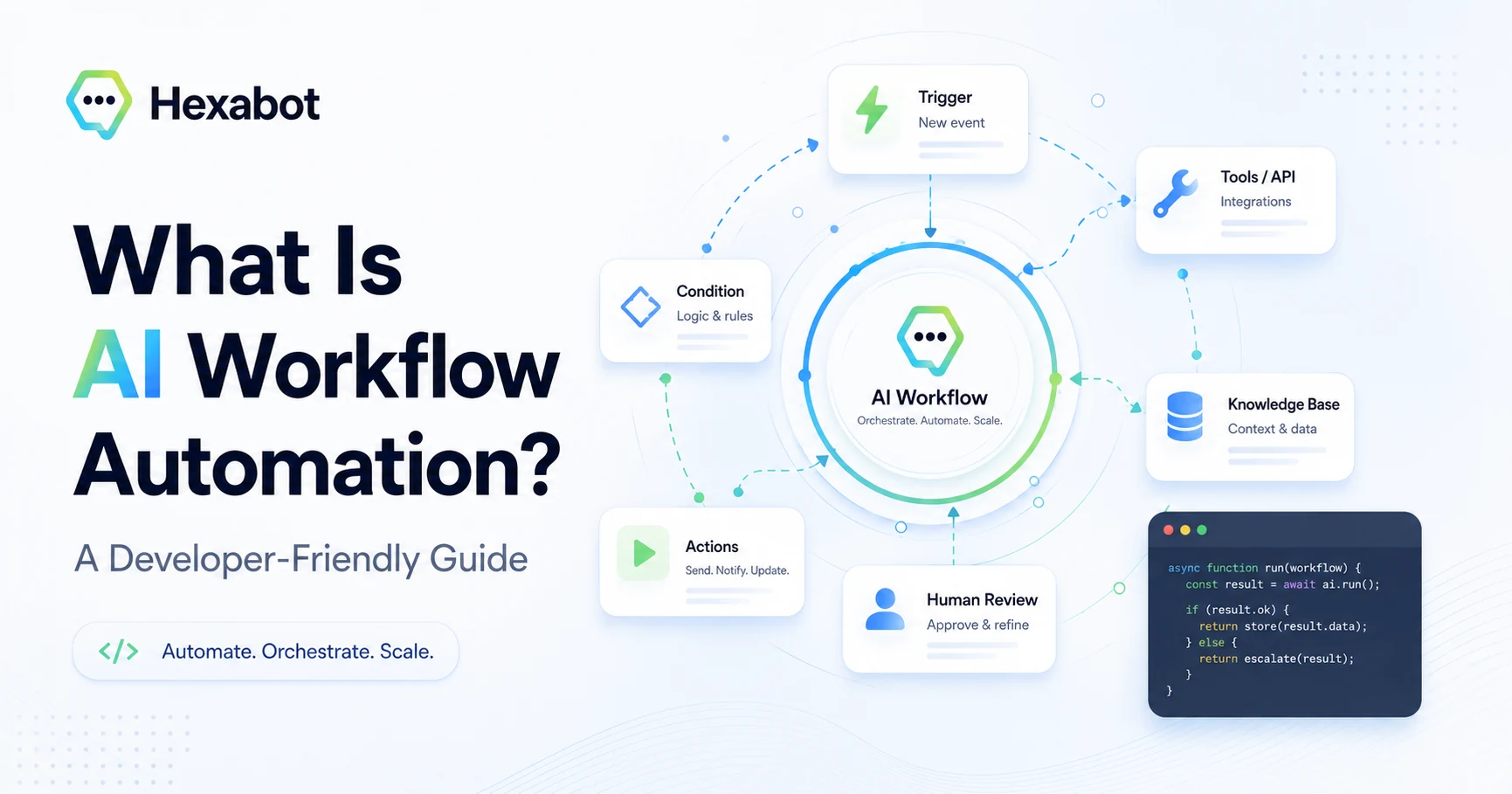
AI workflow automation is the use of artificial intelligence to automate, optimize, and orchestrate business processes that would otherwise require manual effort, repetitive decisions, or constant human intervention.
In simpler terms, it means giving your workflows the ability to understand information, make decisions, trigger actions, and adapt based on context.
Traditional automation follows fixed rules:
If this happens, do that.
AI workflow automation goes further:
Understand what is happening, decide what should happen next, and execute the right action.
This shift is important because modern businesses do not only need faster processes. They need smarter processes. Customers expect instant answers, teams are overwhelmed by repetitive tasks, and companies need systems that can operate across channels, tools, and data sources.
That is where AI workflow automation comes in.
Developers looking for system architecture, validation, and implementation patterns can also read AI Workflow Automation for Developers.
AI Workflow Automation Definition
AI workflow automation refers to the use of artificial intelligence technologies, such as natural language processing, machine learning, generative AI, and AI agents, to automate business workflows from start to finish.
An AI-powered workflow can:
-
Understand user intent
-
Extract information from messages, documents, or forms
-
Classify requests
-
Make decisions based on business logic
-
Trigger actions in external systems
-
Generate personalized responses
-
Route complex cases to humans
-
Learn from previous interactions
-
Improve process efficiency over time
For example, instead of manually reading every customer support message, assigning it to the right team, checking the customer’s account, and writing a response, an AI workflow can perform most of these steps automatically.
The human team only intervenes when judgment, empathy, approval, or exception handling is required.
How AI Workflow Automation Works
AI workflow automation usually combines several components.
1. Input Capture
The workflow starts when information enters the system. This can happen through different channels, such as:
-
Website chat
-
WhatsApp
-
Messenger
-
Email
-
Voice calls
-
Web forms
-
Internal tools
-
CRM systems
-
APIs
-
Documents
For example, a customer may write: “I want to change my delivery address.”
A traditional system may only see this as text. An AI-powered workflow can understand the meaning behind it.
2. Intent Understanding
The AI analyzes the input to understand what the user wants.
In the delivery example, the system may classify the request as:
Change delivery address
This is called intent recognition. It allows the workflow to move beyond keyword matching and understand the purpose of the request.
This is especially useful in customer support, sales, healthcare, banking, telecom, e-commerce, and any business where users express the same request in many different ways.
For example:
-
“Can I update my address?”
-
“I moved to a new place.”
-
“Please send my order somewhere else.”
-
“I need to modify the shipping details.”
All of these may refer to the same business intent.
3. Data Extraction
After understanding the intent, the AI can extract relevant information.
From a message like:
Please deliver my order to 123 Maple Street, Apt 4B, Los Angeles instead of my old address.
The AI may extract:
-
New address
-
City
-
Order-related context
-
Requested action
-
Missing information, if any
This helps the workflow decide what to do next.
4. Decision-Making
Once the system understands the request and extracts the needed data, it applies business rules.
For example:
-
Is the order already shipped?
-
Is the new address valid?
-
Is the customer authenticated?
-
Does this action require human approval?
-
Should the request be escalated?
AI does not replace business logic. It enhances it.
The best AI workflow automation systems combine intelligent understanding with clear, controlled rules. This is what makes automation useful, safe, and predictable.
5. Action Execution
After making a decision, the workflow triggers an action.
This may include:
-
Updating a CRM record
-
Creating a support ticket
-
Sending an email
-
Calling an API
-
Updating an order
-
Generating a document
-
Scheduling an appointment
-
Notifying a team member
-
Responding to the customer
-
Routing the conversation to a human agent
This is where AI workflow automation becomes more than a chatbot or a simple assistant. It becomes an operational layer that connects conversations, systems, and business processes.
6. Human Handover
Not every task should be fully automated.
Some workflows require a human because they involve:
-
Sensitive decisions
-
Complex exceptions
-
Emotional situations
-
Negotiation
-
Compliance review
-
High-value customers
-
Medical, legal, or financial judgment
A good AI workflow automation platform knows when to stop and escalate.
For example, Hexabot can automate repetitive conversations while still allowing human agents to take over when needed. This creates a balanced experience: automation when it is efficient, human support when it is necessary.
AI Workflow Automation vs Traditional Workflow Automation
Traditional workflow automation is based on predefined rules. It is reliable, but often rigid.
AI workflow automation adds intelligence to the process.
| Traditional Workflow Automation | AI Workflow Automation |
|---|---|
| Follows fixed rules | Understands context and intent |
| Requires structured input | Can process natural language |
| Works best with predictable tasks | Handles more flexible scenarios |
| Often breaks with exceptions | Can classify, adapt, and escalate |
| Automates actions | Automates understanding, decisions, and actions |
| Depends heavily on manual configuration | Can use AI models to interpret information |
Traditional automation is still useful. In fact, AI workflow automation often includes traditional rules.
The difference is that AI makes workflows more flexible, conversational, and context-aware.
Examples of AI Workflow Automation
AI workflow automation can be applied across many departments and industries.
1. Customer Support Automation
A customer contacts support and asks about a refund.
The AI workflow can:
-
Understand the request
-
Check the order status
-
Verify the refund policy
-
Ask for missing information
-
Create a support ticket
-
Send a personalized answer
-
Escalate the case if needed
This reduces response time and helps support teams focus on complex issues.
2. Lead Qualification
A visitor lands on a company website and starts a conversation with a chatbot.
The AI workflow can:
-
Ask qualification questions
-
Understand the visitor’s needs
-
Score the lead
-
Recommend a product or service
-
Push the lead to a CRM
-
Notify the sales team
-
Schedule a meeting
Instead of treating every visitor the same way, AI workflow automation personalizes the journey.
3. E-Commerce Assistance
An online store can use AI workflows to help customers:
-
Find products
-
Compare options
-
Check availability
-
Track orders
-
Request returns
-
Receive personalized recommendations
-
Get support after purchase
For example, a customer might write:
I need a black running shoe under $100.
An AI workflow can understand the request, search the product catalog, filter results, and return relevant options.
4. HR and Internal Operations
AI workflows can also support internal teams.
For example, an HR assistant can automate:
-
Leave requests
-
Onboarding checklists
-
Policy questions
-
Document collection
-
Employee FAQs
-
Training reminders
-
IT access requests
This reduces administrative work and improves employee experience.
5. Healthcare and Patient Communication
In healthcare, AI workflow automation can support non-critical administrative processes such as:
-
Appointment scheduling
-
Patient intake
-
Reminder messages
-
FAQ responses
-
Referral routing
-
Insurance information collection
-
Follow-up instructions
However, healthcare workflows require strong governance, privacy controls, and human oversight. AI should support medical teams, not replace clinical responsibility.
6. IT and DevOps Workflows
Technical teams can use AI workflow automation to:
-
Classify incidents
-
Create tickets
-
Suggest troubleshooting steps
-
Notify responsible teams
-
Summarize logs
-
Generate incident reports
-
Automate repetitive support tasks
This can help teams respond faster while keeping humans in control of critical infrastructure decisions.
Benefits of AI Workflow Automation
AI workflow automation offers several business benefits.
1. Faster Response Times
AI can process requests instantly, 24/7.
This is especially valuable for customer-facing teams where speed directly impacts satisfaction, conversion, and retention.
2. Reduced Manual Work
Many teams spend too much time on repetitive tasks:
-
Copying data between systems
-
Reading similar messages
-
Answering the same questions
-
Creating tickets manually
-
Routing requests
-
Sending follow-up emails
AI workflow automation reduces this burden and allows people to focus on higher-value work.
3. Better Customer Experience
Customers do not want to wait, repeat themselves, or navigate complex processes.
AI workflows can provide:
-
Instant answers
-
Personalized responses
-
Consistent support
-
Multichannel availability
-
Faster escalation when needed
The result is a smoother experience across the customer journey.
4. More Consistent Processes
Manual processes vary from one person to another.
AI workflows help standardize how requests are handled. This improves quality, reduces errors, and makes operations easier to monitor.
5. Scalability
As your business grows, manual workflows become harder to manage.
AI workflow automation allows teams to handle more requests without increasing operational complexity at the same rate.
This is especially important for startups, support teams, agencies, SaaS companies, and enterprises with growing customer interactions.
6. Better Use of Data
AI workflows can use data from conversations, CRMs, databases, documents, and APIs to make better decisions.
Instead of treating each interaction in isolation, AI can bring context into the workflow.
For example:
-
Has this customer contacted support before?
-
What product are they using?
-
What is their subscription plan?
-
Is there an open ticket?
-
What language do they prefer?
-
Are they a high-priority account?
Context makes automation more useful and more human.
AI Workflow Automation and AI Agents
AI agents are becoming an important part of workflow automation.
An AI agent is a system that can reason about a task, decide the next step, use tools, and work toward a goal with some level of autonomy.
In workflow automation, AI agents can help with tasks such as:
-
Researching information
-
Summarizing conversations
-
Calling APIs
-
Updating records
-
Generating responses
-
Coordinating multi-step processes
-
Monitoring changes
-
Recommending next actions
However, autonomy should be designed carefully.
Not every business process should be handed over to an AI agent without limits. The best approach is to define clear boundaries:
-
What can the AI do alone?
-
What requires approval?
-
What should always be escalated?
-
What data can the AI access?
-
What actions must be logged?
-
What happens when confidence is low?
AI workflow automation is not only about making systems autonomous. It is about making them useful, controlled, and trustworthy.
Why Self-Hosted AI Workflow Automation Matters
Many companies want the benefits of AI automation, but they also care about control.
A self-hosted AI workflow automation platform gives organizations more flexibility over:
-
Data ownership
-
Infrastructure
-
Security
-
Customization
-
Integrations
-
Compliance
-
Deployment environment
-
Long-term cost control
This is particularly important for organizations working with sensitive data, regulated industries, or highly customized business processes.
Hexabot is designed with this philosophy in mind.
As a self-hosted, fair-core licensed AI chatbot and workflow automation platform, Hexabot helps teams build conversational workflows that can be customized, extended, and integrated into existing systems.
Instead of forcing companies into a closed black-box solution, Hexabot gives developers and teams the foundation to build automation that fits their own needs.
How Hexabot Supports AI Workflow Automation
Hexabot helps teams create AI-powered conversational workflows across different channels.
With Hexabot, you can build workflows that:
-
Understand user messages
-
Guide users through structured conversations
-
Connect to external APIs
-
Automate support and business processes
-
Manage multilingual conversations
-
Integrate with messaging channels
-
Support human handover
-
Extend functionality through extensions
-
Run in a self-hosted environment
This makes Hexabot useful for companies that want more than a simple chatbot.
You can use it to design workflows that connect customer conversations with real business operations.
For example, a Hexabot workflow can:
-
Welcome a website visitor
-
Understand what they need
-
Ask the right questions
-
Collect structured information
-
Call an external API
-
Return a personalized answer
-
Create a ticket if needed
-
Escalate to a human agent when necessary
This is the essence of AI workflow automation: connecting intelligence, conversation, and action.
Common Use Cases for Hexabot
Hexabot can be used to automate many types of workflows.
Customer Support
Automate FAQs, ticket creation, request classification, and first-level support.
Sales Assistance
Qualify leads, recommend services, collect contact information, and route prospects to the right team.
E-Commerce
Help users search products, track orders, request returns, and receive personalized recommendations.
Internal Helpdesk
Support employees with IT, HR, onboarding, and administrative workflows.
Appointment Scheduling
Guide users through booking, rescheduling, and reminder workflows.
Data Collection
Collect structured information through conversational forms and send it to internal systems.
Multilingual Support
Build workflows that serve users in different languages and regions.
Best Practices for AI Workflow Automation
To succeed with AI workflow automation, start with a practical approach.
1. Start With a Clear Business Problem
Do not automate just because AI is popular.
Start with a specific problem:
-
Too many repetitive support requests
-
Slow lead response time
-
Manual ticket routing
-
Poor customer onboarding
-
High operational workload
-
Inconsistent answers across channels
The clearer the problem, the easier it is to design the right workflow.
2. Map the Current Process
Before automating a workflow, understand how it works today.
Ask:
-
What triggers the process?
-
Who is involved?
-
What information is needed?
-
What decisions are made?
-
Which systems are used?
-
Where do delays happen?
-
What exceptions occur?
-
When should a human intervene?
AI automation works best when the process is understood.
3. Keep Humans in the Loop
AI should not be treated as a magic replacement for people.
For sensitive, complex, or high-risk situations, include human review and escalation.
This improves trust and reduces operational risk.
4. Connect AI to Real Systems
An AI workflow is most valuable when it can take action.
That means connecting it to tools such as:
-
CRM systems
-
Ticketing platforms
-
E-commerce platforms
-
Internal databases
-
APIs
-
Messaging channels
-
Analytics tools
Without integrations, AI remains limited to conversation. With integrations, it becomes part of the business process.
5. Monitor and Improve
AI workflow automation should be continuously improved.
Track metrics such as:
-
Resolution rate
-
Escalation rate
-
User satisfaction
-
Average response time
-
Workflow completion rate
-
Error rate
-
Human intervention rate
-
Conversion rate
These insights help you improve both the AI and the workflow design.
Challenges of AI Workflow Automation
AI workflow automation is powerful, but it also comes with challenges.
Accuracy
AI systems can misunderstand user intent or generate incorrect responses. This is why workflows should include validation, confidence thresholds, and fallback paths.
Data Privacy
AI workflows often process sensitive information. Companies must ensure proper data handling, access control, and compliance.
Integration Complexity
Automation becomes more valuable when connected to business systems, but integrations require technical planning.
Governance
Teams need clear rules about what AI can and cannot do.
User Trust
Users should understand when they are interacting with AI and when a human is involved.
The goal is not to hide AI. The goal is to make the experience helpful, transparent, and reliable.
The Future of AI Workflow Automation
The future of workflow automation is moving from simple task execution to intelligent orchestration.
Businesses will increasingly use AI to coordinate work across systems, teams, and channels.
This does not mean humans will disappear from operations. It means humans will spend less time on repetitive work and more time on judgment, creativity, relationships, and strategy.
The most successful companies will not be the ones that simply add AI tools everywhere. They will be the ones that redesign their workflows around clear goals, reliable data, strong governance, and human-AI collaboration.
AI workflow automation is not just a technology trend. It is becoming a new way to operate.
Conclusion
AI workflow automation is the next evolution of business automation.
It combines artificial intelligence, business rules, integrations, and human oversight to create workflows that are faster, smarter, and more scalable.
From customer support and sales to internal operations and e-commerce, AI-powered workflows help organizations reduce manual work, improve user experience, and connect conversations with real actions.
For teams that want flexibility, control, and extensibility, a self-hosted platform like Hexabot can provide a strong foundation for building AI workflow automation tailored to real business needs.
The future of automation is not only about doing things faster.
It is about building systems that understand, decide, act, and collaborate with humans in a responsible way.
FAQ
What is AI workflow automation?
AI workflow automation is the use of artificial intelligence to automate, optimize, and orchestrate business processes. It allows systems to understand information, make decisions, trigger actions, and escalate cases to humans when needed.
How is AI workflow automation different from traditional automation?
Traditional automation follows fixed rules. AI workflow automation can understand natural language, classify intent, extract information, adapt to context, and support more flexible decision-making.
What are examples of AI workflow automation?
Examples include customer support automation, lead qualification, ticket routing, e-commerce assistance, appointment scheduling, HR helpdesks, and internal IT support workflows.
Can AI workflow automation replace employees?
AI workflow automation is best used to reduce repetitive work, not replace human judgment. Humans remain essential for complex decisions, sensitive situations, strategy, empathy, and oversight.
Why is self-hosted AI workflow automation important?
Self-hosted AI workflow automation gives organizations more control over data, infrastructure, customization, security, and integrations. This is especially important for regulated industries and companies with specific technical requirements.
How can Hexabot help with AI workflow automation?
Hexabot helps teams build AI-powered conversational workflows that can understand users, automate tasks, connect to external systems, support multilingual conversations, and escalate to human agents when needed.