AI Agents vs AI Workflows: What’s the Difference?
Learn the difference between AI agents and AI workflows, when to use each approach, and how to combine them to build reliable AI automation systems.

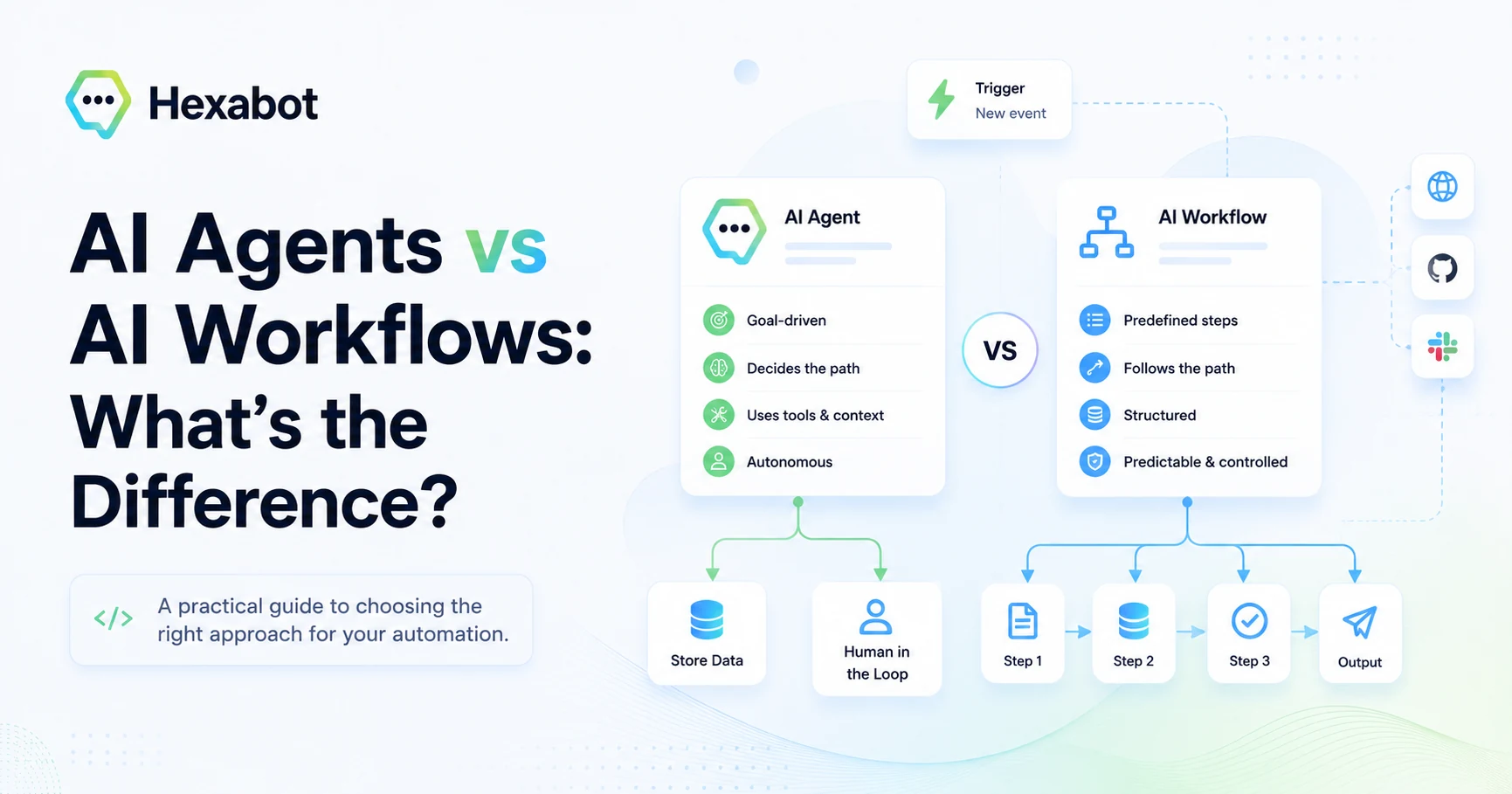
AI automation is moving fast, and with it comes a growing list of terms: AI agents, AI workflows, agentic automation, multi-agent systems, autonomous workflows, AI copilots, and more.
The problem is that many of these terms are often used interchangeably.
A customer support bot that classifies tickets is called an agent. A workflow that calls an LLM is called agentic. A chatbot connected to tools is marketed as an autonomous assistant. A simple automation with one AI step is sometimes described as an AI agent.
This creates confusion, especially for developers, founders, CTOs, and automation teams trying to decide what to build.
The distinction matters because AI agents and AI workflows are not the same thing. They can work together, but they solve different problems, come with different risks, and require different levels of control.
In this article, we will break down the difference in a practical way.
The simple difference
An AI workflow follows a predefined process.
An AI agent decides how to move toward a goal.
That is the simplest way to understand the difference.
A workflow is like a well-documented operating procedure. It says:
First do this, then check that, then call this API, then send this message.
An agent is more like a goal-driven assistant. It receives an objective and decides which steps, tools, or actions to use.
Here is the customer issue. Investigate it, decide what matters, and take the next best action.
According to LangChain’s documentation, workflows are generally designed around predetermined paths and operate in a certain order, while agents are more dynamic and can decide their own process and tool usage. (LangChain Docs) IBM and AWS describe AI agents as systems that can autonomously perform tasks, interact with tools or environments, and take actions toward user-defined goals. (IBM)
That distinction is the foundation.
What is an AI workflow?
An AI workflow is a structured automation process where each step is intentionally designed.
It can include traditional logic, API calls, database operations, human approvals, conditions, loops, and LLM calls. The important point is that the overall path is defined by the developer or automation builder.
For example, a customer support triage workflow might look like this:
-
Receive a customer message.
-
Use an LLM to classify the issue.
-
Detect urgency and sentiment.
-
Check the customer’s account status.
-
Create a support ticket.
-
Escalate high-priority issues to a human.
-
Send a confirmation message to the customer.
The LLM is involved, but it does not control the entire process. It may classify, summarize, extract information, or generate a message, but the workflow decides what happens next.
This makes AI workflows useful when you need predictability, repeatability, and control.
A good AI workflow answers questions like:
-
What happens first?
-
What conditions decide the next step?
-
Which APIs are called?
-
What data is passed between steps?
-
When should a human review the result?
-
What happens when something fails?
In other words, workflows are ideal for turning AI into a reliable part of a production system.
What is an AI agent?
An AI agent is a system that uses AI to pursue a goal with some level of autonomy.
Instead of being told every step in advance, the agent is given an objective, access to tools, context, and constraints. Then it decides what to do next.
For example, an AI agent for customer support might receive this instruction:
Help resolve this customer issue. Use the knowledge base, check the customer account, create a ticket if needed, and escalate when necessary.
The agent may decide to search the documentation first. Then it may inspect the customer profile. Then it may ask a follow-up question. Then it may decide whether to create a ticket or escalate.
The main difference is that the agent has more freedom to decide the path.
Google Cloud describes AI agents as software systems that use AI to pursue goals and complete tasks on behalf of users, often involving reasoning, planning, memory, and some autonomy. (Google Cloud) OpenAI’s Agents documentation also emphasizes concepts such as tools, orchestration, handoffs, guardrails, and human review as systems become more complex. (OpenAI Developers)
That autonomy is powerful, but it also introduces complexity.
An agent can adapt to unexpected situations, but it can also make unpredictable choices. It can save engineering time in ambiguous scenarios, but it can increase costs, latency, and debugging difficulty if used for everything.
AI agents vs AI workflows: key differences
| Dimension | AI Workflow | AI Agent |
|---|---|---|
| Main idea | Predefined sequence of steps | Goal-driven autonomous behavior |
| Control | High | Medium to low, depending on guardrails |
| Flexibility | Limited but predictable | High but less predictable |
| Best for | Repetitive, structured processes | Ambiguous, dynamic tasks |
| Debugging | Easier, because steps are explicit | Harder, because decisions may vary |
| Cost control | Easier to optimize | Can become expensive due to repeated reasoning/tool calls |
| Human oversight | Built into specific steps | Often added through guardrails or review points |
| Failure handling | Explicit retries and fallbacks | Requires careful monitoring and constraints |
| Example | “Classify ticket → create issue → notify team” | “Investigate this issue and decide what to do” |
The practical takeaway is simple:
Use workflows when the process is known. Use agents when the path is uncertain.
Example: customer support automation
Let’s compare both approaches using the same use case.
A user sends this message:
“My payment failed twice, but I was still charged. I need this fixed today.”
Workflow-based approach
A workflow might handle it like this:
-
Detect the intent: billing issue.
-
Extract key information: failed payment, possible double charge, urgent tone.
-
Check payment status through an API.
-
If duplicate charge is detected, create a high-priority billing ticket.
-
If the issue is urgent, notify a human support agent.
-
Send a message to the customer confirming that the case has been escalated.
This is controlled. The automation does not “invent” a process. It follows one.
The LLM can still be useful for classification, extraction, summarization, or response generation, but the workflow remains deterministic.
Agent-based approach
An agent might receive the same message and be told:
Resolve this billing issue using the available tools.
The agent could decide to:
-
Search previous support tickets.
-
Check payment history.
-
Compare invoices.
-
Ask the user for missing details.
-
Create a billing case.
-
Escalate the issue.
-
Draft a personalized response.
This is more flexible. The agent can adapt if the case is unusual.
But the agent also needs strong boundaries. Should it issue refunds? Should it contact finance? Should it send sensitive account details? Should it retry failed actions? Should it ask a human before making decisions?
That is why production AI systems usually need more than just an agent. They need orchestration, permissions, observability, and human control.
When should you use an AI workflow?
Use an AI workflow when you already understand the business process.
This is usually the right choice for:
-
Lead qualification
-
Customer support triage
-
Ticket creation
-
Internal approvals
-
CRM updates
-
Invoice processing
-
Content review pipelines
-
Notifications and reminders
-
Data extraction and enrichment
-
Multi-step API automation
In these cases, you do not need an AI model to reason through every step. You need AI to perform specific intelligent tasks inside a controlled process.
For example, you may need an LLM to classify a message, summarize a conversation, or extract structured data. But you do not need the LLM to decide how your entire support operation works.
This is where workflows shine.
They reduce unnecessary reasoning, improve reliability, and make automation easier to test.
When should you use an AI agent?
Use an AI agent when the task is open-ended, exploratory, or hard to define as a fixed sequence.
Agents are useful when:
-
The user’s request can vary widely.
-
The system needs to choose between many tools.
-
The right path depends on context.
-
The task involves investigation or research.
-
The process cannot be fully modeled in advance.
-
The assistant needs to ask follow-up questions.
-
The task requires planning before execution.
For example, “analyze this customer account and recommend the best retention strategy” is more agentic than “create a ticket when sentiment is negative.”
The first task requires interpretation and planning. The second task can be modeled as a workflow.
Agents are especially useful when the cost of manually defining every possible path is too high.
But they should not be used as a replacement for basic engineering.
If a task can be solved with a simple condition, API call, or transformation, it should probably be implemented as a workflow step, not delegated to an LLM.
The common mistake: making everything agentic
One of the biggest mistakes in AI automation is using an agent where a workflow would be simpler, cheaper, and safer.
For example, imagine asking an AI agent to:
-
Read a customer message.
-
Decide whether to call the CRM.
-
Decide which CRM endpoint to call.
-
Interpret the response.
-
Decide whether to create a ticket.
-
Decide how to format the ticket.
-
Decide whether to notify Slack.
-
Decide what to write in Slack.
This may work in a demo.
But in production, it can become expensive, slow, and unpredictable.
A better approach is to separate deterministic logic from AI reasoning.
The workflow should handle the structure:
-
Receive message.
-
Classify issue.
-
Call CRM.
-
Create ticket.
-
Notify team.
-
Respond to user.
The AI should handle the parts that require language understanding:
-
Classification
-
Extraction
-
Summarization
-
Drafting
-
Reasoning in ambiguous cases
This gives you the best of both worlds: the flexibility of AI and the reliability of software engineering.
The best approach: combine agents and workflows
The real question is not:
Should we use AI agents or AI workflows?
The better question is:
Which parts of this system should be controlled, and which parts should be autonomous?
Modern AI automation often works best when workflows and agents are combined.
A workflow can define the main process, while agents can be used inside specific steps where reasoning is valuable.
For example:
-
A workflow receives a support request.
-
An AI step classifies the issue.
-
A condition checks urgency.
-
A workflow action retrieves account data.
-
An agent investigates ambiguous cases.
-
A human approves sensitive actions.
-
The workflow sends the final response.
This hybrid model is more realistic for production.
You do not give the agent unlimited freedom. You give it a role inside a larger system.
That is how teams can build AI automation that is powerful without becoming chaotic.
How to decide: agent, workflow, or both?
Here is a practical decision framework.
Use a workflow when:
-
The process is known.
-
The rules are clear.
-
The task is repetitive.
-
The output must be consistent.
-
You need auditability and control.
-
You want to minimize LLM cost.
Use an agent when:
-
The task is ambiguous.
-
The path is not known in advance.
-
The system needs to choose between tools.
-
The task requires reasoning, planning, or investigation.
-
The user request may change from one case to another.
Use both when:
-
The business process is structured, but some steps require intelligence.
-
You need AI reasoning inside a controlled automation.
-
You want flexibility without losing observability.
-
You need human review for sensitive decisions.
-
You are building production-grade AI automation.
In most real-world cases, the answer will be both.
Not everything should be deterministic. Not everything should be autonomous.
The art is knowing where to draw the line.
Why this matters for developers
For developers, the difference between AI agents and AI workflows is not just terminology. It affects architecture.
It changes how you think about:
-
State management
-
Tool calling
-
Error handling
-
Observability
-
Testing
-
Cost optimization
-
Security
-
Human-in-the-loop review
-
Data passing between steps
-
Permissions and access control
A workflow-first system is easier to debug because each step is visible.
An agent-first system can be more flexible, but you need stronger tracing, guardrails, and evaluation. OpenAI’s Agents SDK documentation, for example, explicitly discusses orchestration, handoffs, guardrails, and human review as systems become more complex. (OpenAI Developers)
This is why production AI automation should not be treated like a prompt engineering exercise only.
It is a software architecture problem.
Final thoughts
AI agents and AI workflows are both important, but they are not interchangeable.
An AI workflow gives you structure, control, and reliability. An AI agent gives you autonomy, flexibility, and reasoning.
Workflows are better when the process is known. Agents are better when the path is uncertain.
The strongest AI systems will not blindly choose one side. They will combine both: structured workflows for predictable operations, and agents for moments where reasoning and adaptation are truly needed.
That is where AI automation becomes useful beyond demos.
Not just a chatbot. Not just a prompt. Not just an autonomous black box.
A real system.
Building AI workflows and agents with Hexabot
Hexabot is a self-hostable AI automation platform for building agentic workflows, actions, and conversational automations in one runtime. It helps developers combine structured workflow logic with AI reasoning, tool usage, and human control, so teams can build automations that are flexible without becoming unpredictable. Hexabot v3 is source-available under a Fair Core License and designed for developers who want to build, extend, and run AI automation on their own infrastructure.