What Is AI Workflow Automation? A Developer-Friendly Guide
Learn what AI workflow automation is, how it combines LLMs, APIs, actions, and human review, and how developers can build reliable AI workflows.

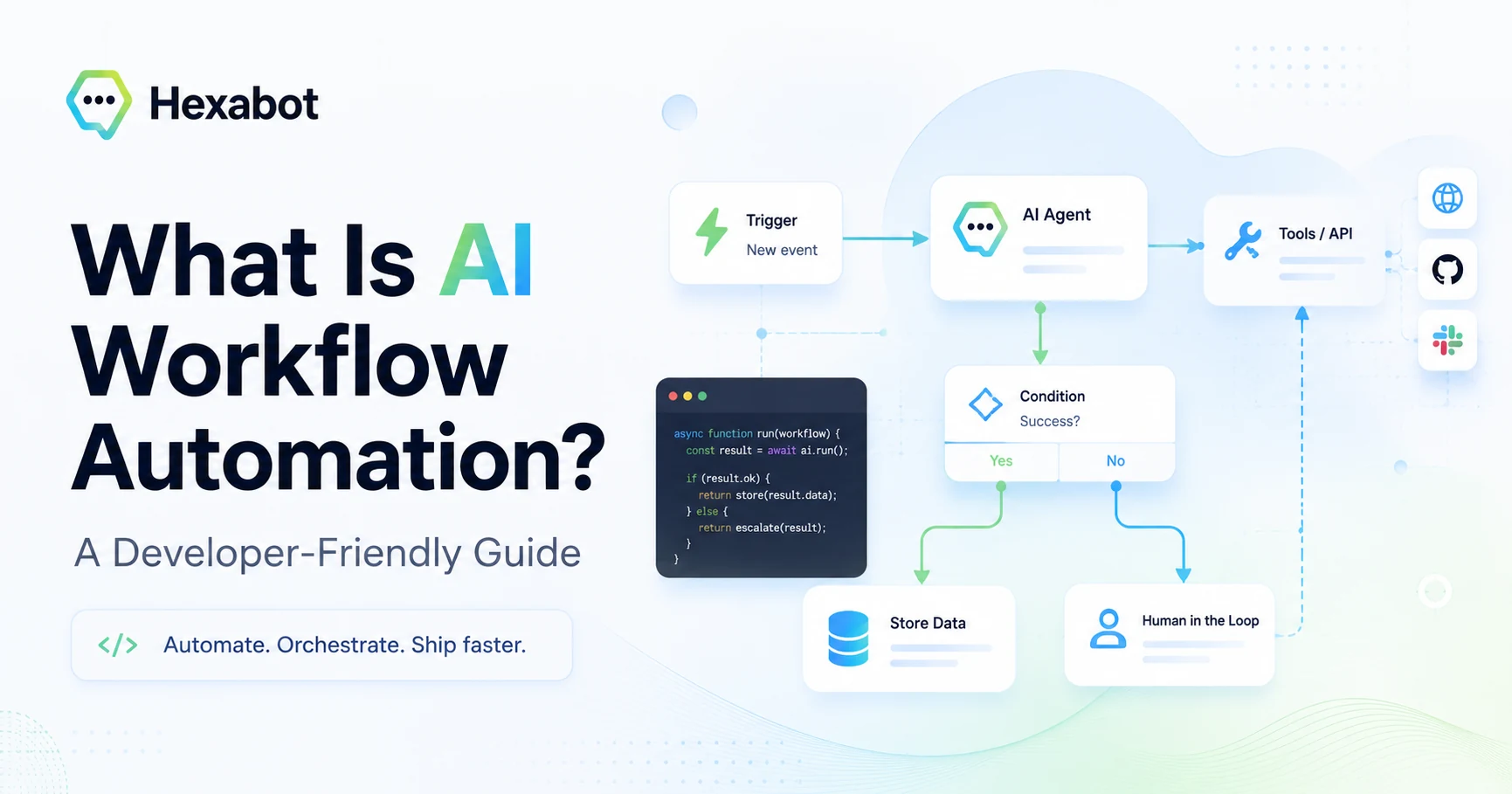
AI workflow automation is becoming one of the most important concepts in modern software development.
For years, automation meant connecting systems together: when something happens in one app, trigger an action in another app. A new lead arrives, send an email. A form is submitted, create a ticket. A payment succeeds, update the CRM.
That kind of automation is useful, but it is mostly deterministic. The logic is usually based on clear rules:
If this happens, then do that.
AI workflow automation adds a new layer.
Instead of only moving data between systems, workflows can now understand text, classify intent, summarize information, extract structured data, make decisions, generate responses, and decide when a human should be involved.
In other words, AI workflow automation combines traditional workflow orchestration with the reasoning capabilities of AI models.
For developers, this opens a new way to build software: not only with APIs, queues, databases, and services, but also with language models, context, tools, memory, and human-in-the-loop control.
This guide explains what AI workflow automation is, how it works, why it matters, and how developers can think about it when building real-world AI systems.
For a business-oriented definition, examples, and FAQ, read the companion guide: What Is AI Workflow Automation?
What is AI workflow automation?
AI workflow automation is the process of using artificial intelligence to execute, assist, or control a sequence of tasks across systems, tools, and users.
A workflow is a structured set of steps. AI can be involved in one or many of those steps.
For example, an AI workflow can:
Analyze an incoming customer message, classify the issue, check the customer’s subscription status, decide whether to answer automatically or escalate to a human, create a support ticket, notify the right team, and summarize the conversation.
The important part is that the AI is not working alone. It is part of a larger workflow.
A simple AI workflow may look like this:
User sends a message
        ↓
AI classifies the request
        ↓
Workflow checks business rules
        ↓
System calls an external API
        ↓
AI generates a response
        ↓
Human review happens if needed
This is different from simply sending a prompt to an LLM and displaying the answer.
AI workflow automation is about building systems where AI works together with deterministic logic, APIs, data, and human supervision.
Traditional automation vs AI workflow automation
Traditional workflow automation is rule-based. It is excellent when the process is predictable.
For example:
When a new user signs up:
- Add the user to the CRM
- Send a welcome email
- Create an onboarding task
This works well because the input is structured and the next steps are clear.
AI workflow automation becomes useful when the input is messy, unstructured, or requires interpretation.
For example:
A customer says:
"I was charged twice and nobody answered my previous email."
A traditional workflow may struggle with this because the message does not come with predefined fields. But an AI-powered workflow can understand that:
Issue type: Billing
Sentiment: Frustrated
Urgency: Medium or High
Suggested action: Human review
Then the workflow can decide what to do next.
Here is the difference:
| Traditional automation | AI workflow automation |
|---|---|
| Rule-based | AI-assisted and rule-based |
| Works best with structured data | Works with structured and unstructured data |
| Uses predefined conditions | Can classify, summarize, extract, and reason |
| Good for repetitive processes | Good for dynamic and context-aware processes |
| Usually deterministic | Combines deterministic and probabilistic steps |
| Limited understanding of language | Can process natural language |
The key idea is not to replace traditional automation. The best systems combine both.
AI should handle what requires interpretation. Code should handle what requires precision.
Why developers should care about AI workflow automation
AI workflow automation is not just a no-code trend. It is deeply relevant for developers because many AI products are becoming workflow products.
A chatbot is no longer just a chatbot.
It may need to:
-
Understand user intent
-
Retrieve information from a knowledge base
-
Call internal APIs
-
Update business systems
-
Trigger notifications
-
Escalate to a human
-
Log decisions
-
Respect permissions
-
Maintain context across steps
-
Recover from failures
That is not just a prompt. That is a workflow.
Developers are needed because real-world AI automation requires architecture, state management, validation, observability, security, and integration with existing systems.
A simple demo can be built with one prompt and one API call. A production-ready AI automation system usually needs much more.
The main building blocks of AI workflow automation
Most AI workflow automation systems are built around a few core concepts.
1. Triggers
A trigger starts the workflow.
It can come from many sources:
-
A user message
-
A webhook
-
A scheduled job
-
A form submission
-
A CRM event
-
A support ticket
-
A database change
-
A file upload
-
A manual action from an admin user
For example:
Trigger: New customer message received
Once the trigger fires, the workflow starts processing the input.
2. Inputs
Inputs are the data available to the workflow.
In a conversational workflow, the input may include:
{
  "message": "I cannot access my account and I have a demo in 30 minutes.",
  "channel": "webchat",
  "userId": "user_123"
}
In a backend workflow, the input may come from an API event:
{
  "event": "invoice.payment_failed",
  "customerId": "cus_456",
  "amount": 120
}
Good workflow design starts with understanding what data enters the system.
3. AI reasoning steps
This is where the AI model is used to interpret, generate, classify, summarize, or decide.
Examples of AI reasoning steps include:
Classify the customer issue
Extract the user’s email address
Summarize the conversation
Generate a reply
Decide whether the message needs escalation
Convert natural language into structured data
For example, an AI step can turn this message:
"I was charged twice this month."
Into structured output:
{
  "issue_type": "billing",
  "urgency": "medium",
  "requires_human_review": true
}
This structured output can then be used by the rest of the workflow.
That is one of the most important ideas in AI workflow automation: the AI does not only generate text; it can produce structured data that drives the next steps.
4. Actions
Actions are deterministic operations executed by the workflow.
An action can be:
-
Calling an API
-
Creating a ticket
-
Sending an email
-
Updating a CRM
-
Searching a database
-
Posting a notification
-
Creating a document
-
Running a custom function
-
Calling another internal service
For example:
Action: create_support_ticket
With input:
{
  "customerEmail": "sarah@acme-corp.com",
  "summary": "Customer cannot access account before a demo.",
  "priority": "high"
}
Actions are where developers can bring reliability into AI workflows.
Instead of asking an LLM to “figure out everything,” developers can implement critical business logic as actions with clear input and output schemas.
5. Conditions
Conditions decide which path the workflow should follow.
For example:
If urgency is high:
    escalate to human support
Else:
    generate automatic response
This is where AI and deterministic logic work together.
The AI may classify the urgency, but the workflow decides what to do with that classification.
Example:
- do: classify_issue

- conditional:
    when:
      - condition: "urgency == 'high'"
        steps:
          - do: escalate_to_human
    else:
      steps:
        - do: generate_answer
This approach is much safer than letting the AI freely decide every action without structure.
6. Context and memory
AI workflows often need context.
For example, a support assistant may need to know:
-
Who the user is
-
Their previous messages
-
Their subscription plan
-
Their open tickets
-
Their preferred language
-
Their company
-
Their previous purchases
Context helps the AI produce better decisions and better answers.
But context must be managed carefully. Sending everything to the LLM every time can increase cost, latency, and noise.
A good AI workflow should decide what context is actually needed for each step.
For example:
For classification:
- Send only the current message

For support response generation:
- Send current message
- Send relevant knowledge base articles
- Send customer plan
- Send conversation summary
This is one reason workflow design matters. It gives developers control over how much information the AI receives and when.
7. Human-in-the-loop
Not every task should be fully automated.
Some cases require human review:
-
Sensitive customer complaints
-
Refund requests
-
Legal or compliance questions
-
Medical or financial decisions
-
Low-confidence AI outputs
-
Angry or high-value customers
-
Security-related requests
Human-in-the-loop means the workflow can pause, escalate, ask for validation, or transfer control to a person.
Example:
If confidence < 0.7:
    send to human review
Or:
If customer tier is enterprise and urgency is high:
    escalate immediately
This is one of the most practical ways to make AI automation safer and more reliable.
A practical example: customer support triage
Let’s imagine a SaaS company receives this message:
Hi, I can’t access my account. I have a client demo in 30 minutes and I need this fixed urgently.
A traditional chatbot might try to answer with a generic password reset link.
An AI workflow can do better.
It can analyze the message and produce:
{
  "issue_type": "account_access",
  "urgency": "high",
  "business_impact": "client_demo_blocked",
  "recommended_action": "human_escalation",
  "confidence": 0.91
}
Then the workflow can continue:
1. Ask for the user’s email address
2. Check account status in the backend
3. Create a high-priority support ticket
4. Notify the support team
5. Send a confirmation message to the user
6. Transfer the conversation to a human agent
The AI is useful because it understands the message.
The workflow is useful because it turns that understanding into action.
That is the real power of AI workflow automation.
AI agents vs AI workflows
The terms “AI agents” and “AI workflows” are often used together, but they are not exactly the same thing.
An AI agent is usually an AI system that can reason, decide what to do, use tools, and iterate toward a goal.
An AI workflow is a more structured sequence of steps where the developer defines the process, the available actions, the conditions, and the boundaries.
In simple terms:
Agent: more autonomous
Workflow: more controlled
Agentic systems are powerful, especially for open-ended tasks. But they can also be harder to predict, test, and control.
Workflow automation is often better when the process needs reliability.
For many business use cases, the best architecture is not “agent vs workflow.” It is a hybrid:
Use AI agents for reasoning where flexibility is needed.
Use workflows for structure, safety, and control.
Use deterministic actions for critical operations.
Use human review for sensitive decisions.
This hybrid approach is especially useful for production systems.
Why “just connect an LLM to tools” is not enough
A common mistake in AI automation is assuming that a language model plus tools equals a complete system.
It does not.
A real automation system needs to answer questions like:
What is the trigger?
What data is available?
Which steps are deterministic?
Which steps require AI?
What output format is expected?
What happens if the AI is wrong?
What happens if an API call fails?
When should a human be involved?
How do we log what happened?
How do we test the workflow?
How do we control cost?
How do we handle permissions?
Without workflow structure, AI automation can become unpredictable.
The model may call the wrong tool, call too many tools, generate inconsistent outputs, or fail silently.
A workflow gives the AI a frame.
It defines what the system can do, what the AI is responsible for, and where traditional code takes over.
Benefits of AI workflow automation
AI workflow automation can create value in many areas.
Faster response times
AI can instantly classify, summarize, and route requests. This is especially useful for support, sales, operations, and internal service desks.
Better handling of unstructured data
Emails, chat messages, documents, call transcripts, and support tickets are often messy. AI can turn them into structured data that systems can process.
Lower manual workload
Repetitive tasks such as summarization, tagging, routing, drafting replies, and extracting information can be automated or semi-automated.
More consistent processes
Workflows help standardize how requests are handled, even when the input varies.
Better developer control
Instead of relying entirely on the AI model, developers can define actions, schemas, conditions, and fallback behavior.
Easier integration with existing systems
AI workflows can connect to CRMs, ERPs, databases, ticketing tools, messaging channels, internal APIs, and knowledge bases.
Common use cases for AI workflow automation
AI workflow automation can be applied across many domains.
Customer support
-
Classify tickets
-
Generate draft replies
-
Escalate urgent issues
-
Summarize conversations
-
Detect customer sentiment
-
Route tickets to the right team
Sales and lead qualification
-
Analyze inbound leads
-
Score prospects
-
Enrich CRM records
-
Draft personalized follow-ups
-
Schedule meetings
-
Notify sales teams
Internal knowledge assistants
-
Answer employee questions
-
Search internal documents
-
Summarize policies
-
Guide users through procedures
-
Create tickets when answers are not enough
Operations
-
Process forms
-
Extract data from documents
-
Validate information
-
Trigger approvals
-
Send notifications
-
Generate reports
Developer productivity
-
Triage GitHub issues
-
Summarize pull requests
-
Generate changelog drafts
-
Route bug reports
-
Create internal automation assistants
The pattern is usually the same: AI understands or generates, while the workflow orchestrates the process.
What makes an AI workflow production-ready?
A demo workflow can be simple. A production workflow needs more structure.
Developers should think about the following elements.
Structured inputs and outputs
Avoid relying only on free-form text. Whenever possible, ask the AI to return structured data.
For example:
{
  "category": "billing",
  "priority": "high",
  "requires_human": true
}
Structured outputs are easier to validate, test, and use in conditions.
Validation
AI output should be validated before being used.
For example, if the workflow expects a priority value, it should only accept:
low, medium, high
Not:
very urgent, kind of important, maybe high
Schemas help protect the workflow from unexpected model output.
Fallbacks
AI can fail. APIs can fail. External systems can be unavailable.
A good workflow should define fallback behavior.
For example:
If AI classification fails:
    assign category = unknown
    route to human review
Or:
If CRM API fails:
    retry
    log the error
    notify the operations team
Fallbacks are not optional in production systems.
Observability
Developers need to know what happened inside the workflow.
Useful logs include:
-
Input received
-
AI model used
-
AI output
-
Actions executed
-
API responses
-
Errors
-
Human handover events
-
Final result
Without observability, debugging AI workflows becomes very difficult.
Cost control
LLM calls are not free. A poorly designed workflow can become expensive quickly.
To control cost, developers can:
-
Use AI only where needed
-
Avoid sending unnecessary context
-
Cache repeated outputs
-
Use smaller models for simple tasks
-
Use deterministic code for repetitive logic
-
Use local or open models when appropriate
-
Separate classification, extraction, and generation steps
A good AI workflow does not ask the LLM to do everything.
It uses the right tool for the right task.
Security and permissions
AI workflows often interact with sensitive systems.
They may read customer data, update records, send messages, or trigger business operations.
This means developers need to think about:
-
Authentication
-
Authorization
-
Data privacy
-
Audit logs
-
Rate limiting
-
Tool permissions
-
Human approval for sensitive actions
AI automation should not bypass normal software security practices.
Best practices for developers building AI workflows
A good rule is to treat the LLM as one component in the system, not the whole system.
Here are practical principles to follow.
1. Separate reasoning from execution
Let the AI reason, classify, summarize, or extract.
Let code execute critical operations.
For example:
AI: This is a billing issue with high urgency.
Code: Create a ticket with priority = high.
This keeps the system more predictable.
2. Use schemas everywhere
Define clear input and output contracts for AI steps and actions.
Schemas help you validate data and reduce ambiguity.
3. Keep prompts focused
One prompt should not do everything.
Instead of one large prompt that classifies, summarizes, decides, and writes a reply, consider splitting the workflow into smaller steps.
For example:
Step 1: Classify issue
Step 2: Extract important data
Step 3: Check business rules
Step 4: Generate response
This makes the workflow easier to debug and improve.
4. Add human review where risk is high
Full automation is not always the goal.
In many cases, the best workflow is semi-automated:
AI prepares the work.
Human validates the decision.
Workflow executes the next step.
This is often the right balance between speed and safety.
5. Design for failure
Every workflow should have failure paths.
Ask:
What happens if the AI gives a low-confidence answer?
What happens if the API is down?
What happens if required data is missing?
What happens if the user changes topic?
Production-grade AI automation is not only about the happy path.
The future of AI workflow automation
AI workflow automation is likely to become a core part of how software is built.
Instead of building isolated chatbots or one-off AI features, teams will increasingly build AI-powered processes that connect conversations, business logic, tools, data, and human decisions.
The most valuable systems will not be the ones where AI acts alone.
They will be the ones where AI is embedded inside clear, reliable, observable workflows.
For developers, this is an important shift.
The challenge is no longer only:
How do I call an LLM?
The better question is:
How do I design a reliable AI-powered workflow around the LLM?
That is where real value begins.
Final thoughts
AI workflow automation is not about replacing software engineering with prompts.
It is about combining the flexibility of AI with the structure of software systems.
The AI can understand, reason, summarize, and generate.
The workflow can orchestrate, validate, execute, monitor, and control.
Together, they allow developers to build applications that are more adaptive than traditional automation and more reliable than standalone AI agents.
For teams building customer support systems, sales automation, internal assistants, operational tools, or AI-powered products, AI workflow automation provides a practical path from simple AI demos to production-ready systems.
Building AI workflow automation with Hexabot
Hexabot is a self-hosted, fair-core AI chatbot and workflow automation platform designed for developers who want to build reliable AI-powered automations with more control. It lets you combine conversational interfaces, workflow logic, AI reasoning, custom actions, API integrations, human handover, and multi-channel experiences in one platform.
To explore how Hexabot helps developers build AI workflows, visit Hexabot.ai.